Friday, March 11, 2016

Eric Schmidt Seen Using iPhone but It Does Not Hint Anything

Internet gone crazy over the photo in which Google’s ex-CEO and current advisor Eric Schmidt using an iPhone. Well, the war mongers started uttering the stuff about Android and Apple which turned into a bigger battle for Apple vs Android fanboys.


eric schmidt iphone


Well, to ease out some tension from both the group we have concluded few things that depicts using an iPhone by Eric Schmidt does not mean anything and does not make Apple inferior or superior and nor Android.


  • First of all Eric Schmidt was ex-CEO of Google which is an internet company and we think Apple devices also uses internet.

  • It performs same basic functions as Android phone does

  • Google develop various iOS , MAC os related software and tools to cater the folks over there. SO a phone in Google employee’s hand does not mean Android is ..

  • Eric Schmidt once served on the board of director for Apple while having the CEO seat in Google, SO it does not matter what he is using.

So guys not shocking to see Schmidt using  an iPhone. So guys, Be neutral sometimes which is good for everything and everyone.


eric schmidt iphone


What do you think about it? Share your views via comments below.


Eric Schmidt Seen Using iPhone but It Does Not Hint Anything

Waze For Android Gets New and Clean Design with New Features

Google owned navigation app Waze has received an update with a new cleaner and smarter design. There are new features and enhancements that are present in the latest update for Waze.


waze android app


Waze v4.0 has received new features like smart reminders, reduces battery consumption, etc. The update also includes new ETA panel which is aimed at organizing everything you need in one place.


The new update clearly indicates the new update that will surely help out drivers. There’s also a less clutter on maps, brighter buttons and color-coded pins. The new Waze 4.0 also reduces power consumption so you don’t have to worry about your phone’s battery draining out quickly.


Download the latest version by heading to the link below.


Waze For Android Gets New and Clean Design with New Features

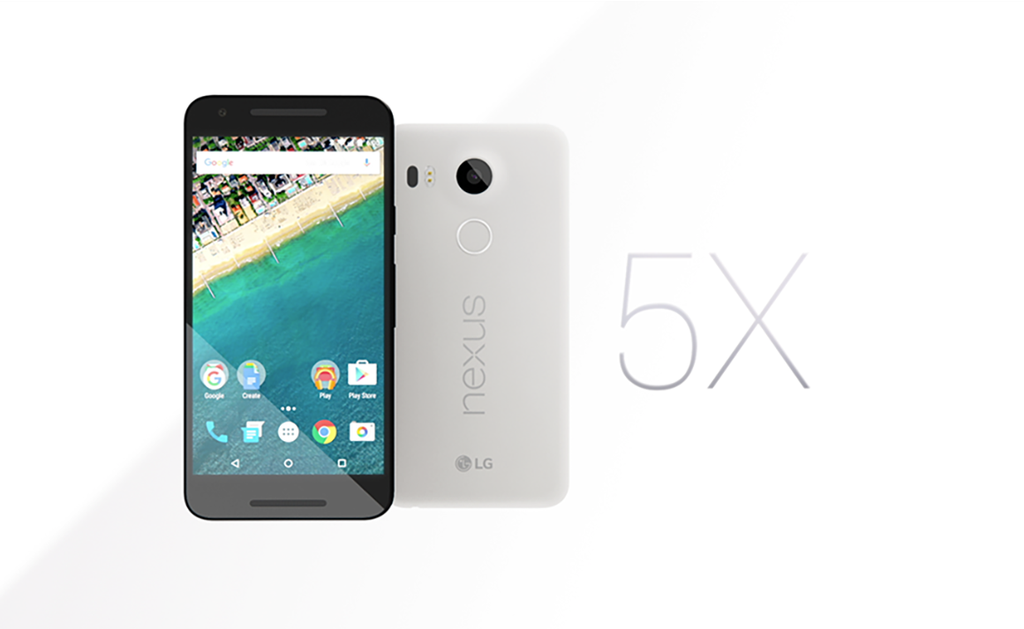
[Deal] Get LG Nexus 5X with Discount of 4000 INR in India

lg nexus 5x


As the Cricket World Cup is going on in the country and Holi a festival in India Coming, Google comes up with a deal with which you can get LG Nexus 5X on 4000 INR discount when you buy it form Google Store. 16 GB variant of the smartphone will cost you 27,900 INR and 32 GB variant will cost you 31,900 INR.


Also Read:Nexus 6P Getting an Update with Performance Boost


LG Nexus 5X is having a finger print sensor at the back, It is powered by Qualcomm Snapdragon 808 processor with 2GB of RAM, it also features a 5.2-inch 1080p display, Nexus 5x also includes a USB Type-C port. You can check here for detailed specs information of Nexus 5X.


Hurry up this is a limited time offer and will be valid until March 27. Enjoy!


[Deal] Get LG Nexus 5X with Discount of 4000 INR in India

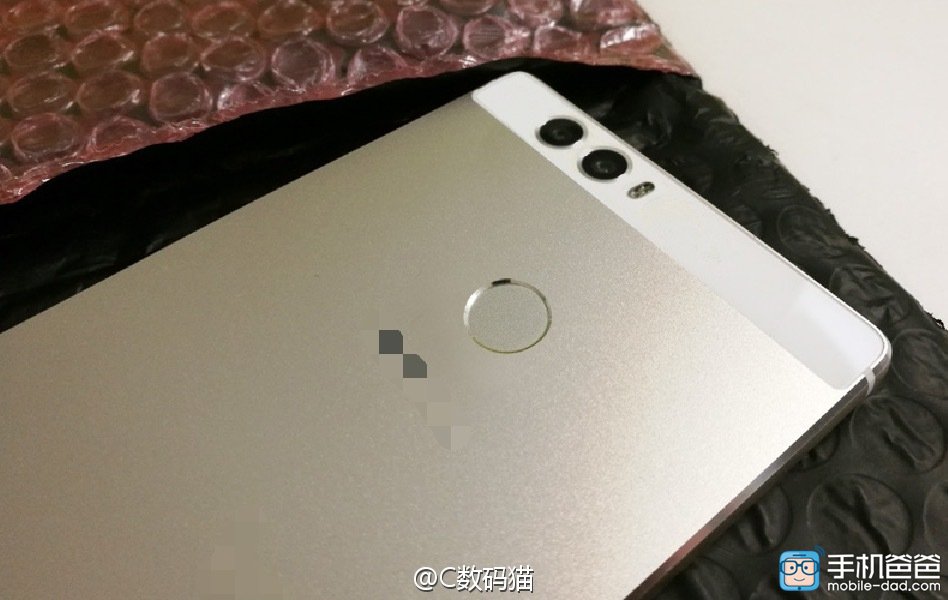
Huawei P9 Images leaked again

Huawei is the third largest smartphone manufacturer company in the world. Company has launched many Devices last year and now there are lots of rumors and leaks about Huawei P9 to be launched in near future. Today again Huawei P9 is again leaked in photos.


Huawei-P9-leak_44


Huawei has send out invites for an event in London on 6th of April. In this event company might Launch its high-end Huawei P9. According to all the leaks and rumors Huawei P9 will have a Kirin 950 CPU, Mali-T880 GPU,3GB of RAM, and a 3900mAh battery. The P9 will also have a 5.2 inch screen with a 1080p resolution. It also features a 12-megapixel dual rear camera, as well as a secondary 8-megapixel selfie camera on the front and FingerPrint sensor at the back.


Also Read: Huawei P9 Release Date in early April Now


As far as connectivity is concerned, P9 will be the first flagship from Huawei to include a reversible USB Type-C connector. Moreover the Huawei P9 will runs on the latest Android 6.0.1 Marshmallow out of box.


We have make a gallery of new photos of Huawei P9 news leaks.


Huawei P9 Images leaked again

MIUI 7.2 Rollout begins for Second batch devices in China

Xiaomi starts rolling out its Mi Note, Mi 3, 4, Mi 4i, Mi 2/2S, Mi Pad 2, Redmi 3, Redmi Note 3, Redmi Note 2,Redmi Note 4G (Dual SIM), Redmi Note 3G, Redmi 2A, and Redmi  in China.
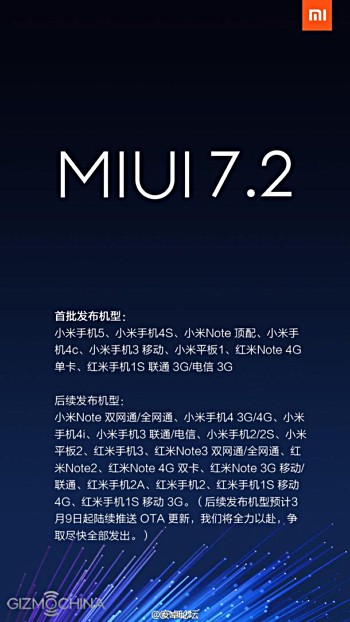

MIUI 7.2 update china


MIUI 7.2 update brings a series of changes to Mi smartphones, including the introduction of Mi Mover app to easily transfer files to a new Mi device, an improved Find device app and a customisable Wallpaper Carousel. The software update also improved Lockscreen, Status Bar, Notifications bar and Home screen animations.


Also Read:Xiaomi MIUI 7.1 Begins Rolling Out


Full Changelog of MIUI 7.2 China Stable ROM:


Lockscreen, Status Bar, Notification Bar
Optimization – Optimized notifications style (11-27)
Fix – Status bar was black in some situations (12-08)
Fix – Sometimes status bar disappeared (12-24)
Fix – Power button menu could not be read out or operated on in Accessibility mode (01-12)
Home screen


Optimization – Home screen icons animated effects at unlocking (12-08)
Fix – Home screen crashed in some situations. (12-02)
Fix – When using Snow fairy theme, icons would disappear for a moment after unlocking (01-06)
Fix – Sometimes daily lockscreen did not work (01-06)
Fix – It asked to change folder name when first open the folder in Mi Space mode after rebooting (01-12)


Music
New – Added music videos section (12-16)
Optimization – In random playing mode, pressing ‘Play all’ in song list will not always start playing from the first song in the list (12-15)


Backup
Optimization – New design for Mi Mover (01-25)


Weather
New – Brand new Weather app. Added 24 hours forecast, air quality forecast, wind speed forecast (12-11)


File Explorer
New – Double tapping top bar will go to the top of the page (12-08)
Optimization – Optimized data source analysis for images using quick URL (11-23)
Optimization – ‘Forgot password’ option will show after entering wrong password for private folder repeatedly (12-02)
Optimization – A confirmation prompt will show before setting a folder as private (12-08)
Optimization – Optimized search function to show more information of search results (12-08)
Fix – Unrecognizable file names after ZIP files are decompressed (11-30)
Fix – Private folders could not be decrypted (12-08)


Data Usage
Optimization – Data connection will be disabled if extra data plan is also used up after the original data plan reached its limit (01-11)


Mi Drop
Fix – Status bar always showed 0% when receiving files using Mi Drop (12-02)
Fix – Sometimes WiFi did not connect after files were sent (12-10)


Cleaner
New – Support adding apps to exception list in one press (11-30)
New – New version of Deep clean. Added available storage space (12-15)
New – New version of photos cleaning feature. Added duplicate photos/accidental photos/under and overexposed/screenshots sections (12-15)
New – Added ‘save the sharpest photos’ option when cleaning duplicate photos (12-15)
New – Deep clean supports cleaning APK. files (01-05)
New – Deep clean supports managing videos (01-05)
Optimization – Logic of defining rarely used apps (12-15)
Fix – Errors in calculating sizes of deep clean big files (01-05)


Mi Cloud
New – Added account lock after flashing phone in Find device. Avoid risks of lost phone being used by others (12-22)


If your device falls in the second batch of the Xiaomi devices than you will receive an update OTA Notification. If you did not get the notification and you can’t wait than go to the official MIUI website and download the Update package.


NOTE: Xiaomi did not reveal any information about when this update comes to India. when we get any information will update you.


MIUI 7.2 Rollout begins for Second batch devices in China

Thursday, March 10, 2016

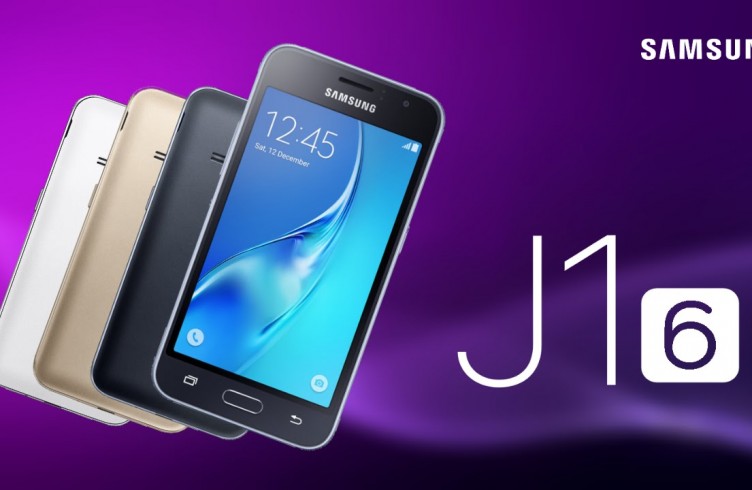
Samsung Galaxy J1 and Galaxy J1 Mini Out Now

On one side, Samsung has launched Galaxy S7 last months just before MWC 2016 and is taking up its marketing too seriously. on other side, Samsung is taking care of mid level and entry level segment very carefully.


Samsung Galaxy J1


Samsung Galaxy J1 and Galaxy J1 mini are new ones in the entry level segment. Let’s start with


Samsung Galaxy J1


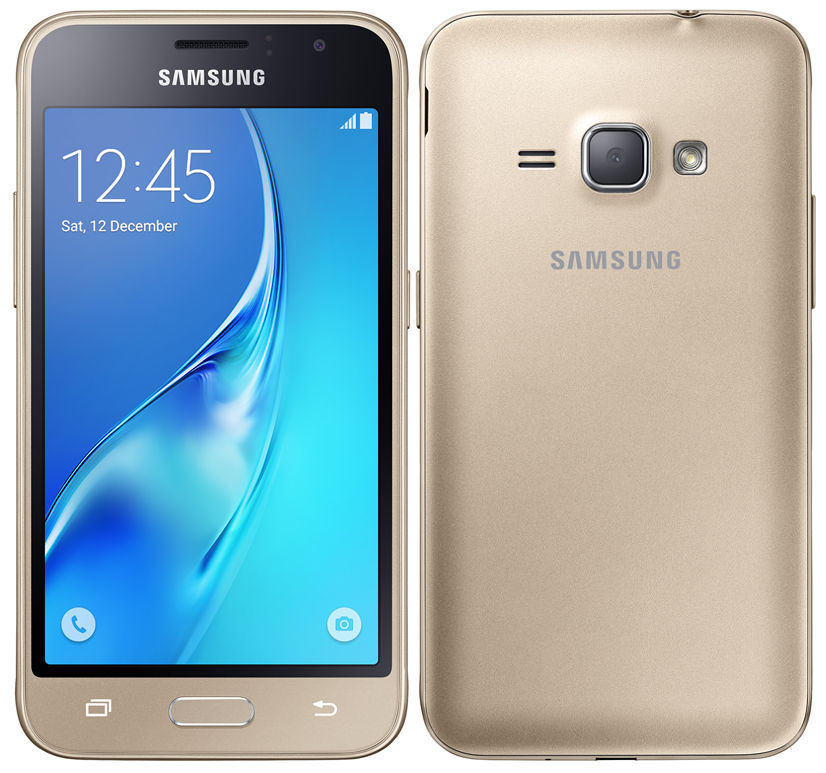
Samsung Galaxy J1 has a 4.5-inch WVGA (854×480) Super AMOLED display powered by a 1.3Ghz quad-core Exynos 3475 processor. This will be supported by 1GB RAM, 8GB internal storage and a 5MP/2MP camera combo. It will have microSD expansion, LTE connectivity, and will run on Android 5.1 Lollipop out of the box.


Samsung Galaxy J1 2016


Samsung Galaxy J1 Mini


It is the smaller variant having a 4-inch screen. It also has a less punchy 1.2Ghz quad-core processor, 768MB RAM, 8GB internal storage, and 3G compatibility. It will also run on Lollipop and feature microSD expansion.


Samsung is going to make these available in the Dubai, Singapore and Russia. There’s no pricing information available right now but we will let you know in the near future.


Samsung Galaxy J1 and Galaxy J1 Mini Out Now

Sprint Galaxy S6 Getting Android 6.0 Marshmallow update

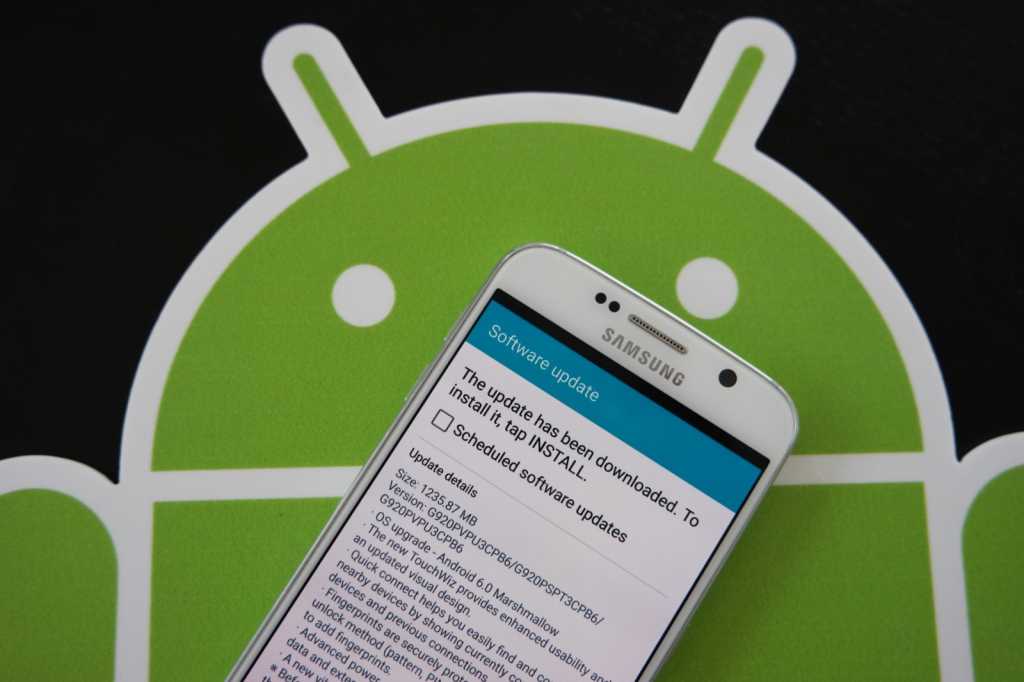
Sprint’s Samsung Galaxy S6 starts getting the OTA update for the Latest Android Marshmallow with the build number “G920PVPU3CPB6”. T-Mobile has already rolled out Marshmallow update.


Samsung Galaxy S6 Android 6.0 Marshmallow Update


Although Google has released Android N Developer preview. But major companies in the field of Mobile manufacturing did not update their flagship devices to the Latest Android marshmallow. According to the latest Android Distribution table for March 2016 rolled out by Google there are only 2.3% smartphones which runs on Android Marshmallow.


Anyhow coming to this update, It weighs around 1235.87 MB and comes with all the marshmallow features Google Now on Tap, Doze, and an updated TouchWiz interface are among the highlights, and the update also changes the vibration pattern for when you get calls and messages. The official changelog is yet to be released by the company.


Also Read:


If you did not get the notification check it manually Settings » About device » Software update you will get the update. After the update let us know your experiences via comments


Sprint Galaxy S6 Getting Android 6.0 Marshmallow update

Youtube Gaming comes to Australia, New Zealand, Canada and Ireland

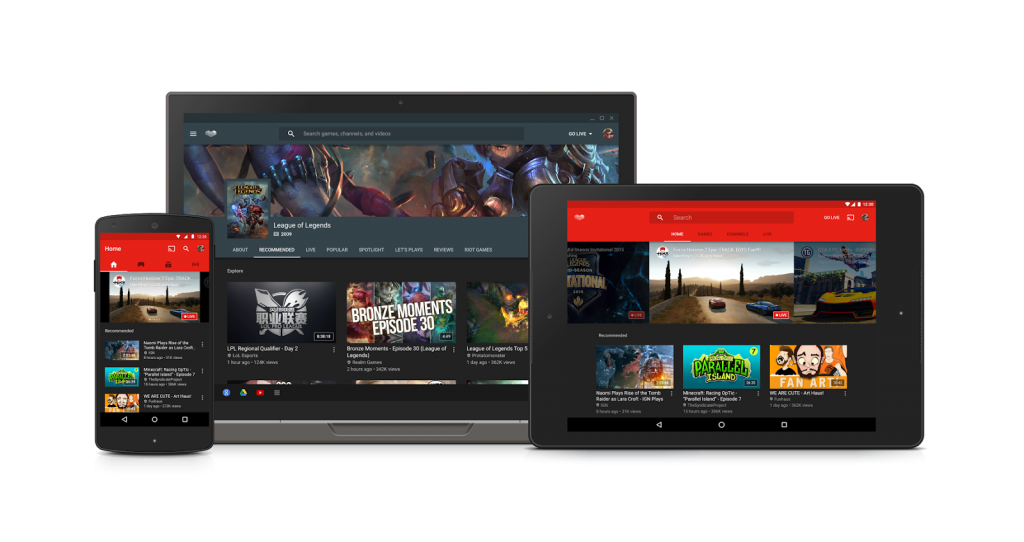
YouTube’s Gaming platform which is Unveils back in June last year now comes to Australia, New Zealand, Canada and Ireland. This platform brings live game play to YouTube and already launched in US and UK last year.


pasted image 0


Its pleasing to see that YouTube Gaming is expanding to more markets right now. Anyhow YouTube Gaming App also get some updates. The changes are in UI of app and in browsing channels you can see all the changes below.


  • Welcome and setup flow for new users

  • Redesigned search results view

  • Mobile Capture performance and UI improvements and support for more Android 5.1 devices

  • Support for Cardboard VR playback

  • Updated game page layout

  • Support for creator Sponsorships

  • Denser video grids for quicker browsing

  • Performance improvements and bug fixes

Desktop version of YouTube Gaming is also gets the update and the homepage gets the new look.


Youtube Gaming comes to Australia, New Zealand, Canada and Ireland

Guide: Install Android N Developer Preview on Nexus Device

Android N Developer Preview is here with lot of new improvements and features in comparison with the Android 6.0 Marshmallow. Android N Developer Preview has come with new Project Svelte, Picture in Picture, Advanced Project Doze, Multiwindow Support and may more features.


install android n (Large)


Now, question arises, for what devices these are available and how to install if compatibility is found. So, here we are to let you guys know how to install the Android N Developer Preveiw on compatible devices.


Android N Developer Preview Compatibles


The N Developer Preview includes an updated SDK and it is compatible on Nexus 6, Nexus 5X, Nexus 6P, Nexus Player, Nexus 9, and Pixel C devices. Also General 4G (Android One) is compatible with Android N Developer Preveiw.


As of right now the upcoming Android N update is available as a developer preview for anyone with a compatible device willing to flash the Factory Images. Google will offer a beta program and over the air update as well, at a later date. Google confirmed the official release will be this summer, but here’s how to get an early look today.


Android N Developer Preview Prerequisites:


  1. ADB and fastboot installed on your computer

  2. Little knowledge about adb and fastboot.

  3. Is a developer preview of Android N for you? If you’re an Android developer, then the answer is probably Yes. If you’re not, you probably shouldn’t install Android N. Google warns that “The [beta] program is currently targeted towards developers and is not suitable for use on your primary device.” And, “[Android N] updates that you’ll receive as a part of this program are unstable pre-release versions, and may contain errors and defects that affect your device.”

  4. Connect your device to its charger

  5. Make sure you have a stable Wi-Fi connection

  6. Make sure your device has enough free storage space.

Android N Installation Steps:


  1. Download the factory image for your device here.

  2. Unzip the file and save it somewhere easy to find.

  3. Connect your device to your computer via USB cable and ensure debugging mode is enabled.

  4. Open an ADB command line.

  5. Enter adb reboot bootloader to access your device’s bootloader. (OS X users should add ./ before this command.)

  6. Navigate to the folder containing your factory image.

  7. Enter flash-all to run the installation script. (OS X users, same caveat as step 5.)

Note: This will wipe your device and erase all your data.


Any queries comment us below. Also got any error let us know via comment form below.


Also, check the Android N wallpapers.


Guide: Install Android N Developer Preview on Nexus Device