Thursday, November 25, 2021

OxygenOS 11.2.10.10 is rolling out to OnePlus 9 & 9 Pro

Every month OnePlus releases new software for its current premium flagship— the OnePlus 9 series. Though the lineup is eligible for OxygenOS 12 beta. The OnePlus 9 and OnePlus 9 Pro users who are using stable OxygenOS 11 are receiving an update that adds OxygenOS 11.2.10.10 and a few other changes weighing 400MB in size.

oneplus 9

Make sure to visit: Grab OnePlus Nord 2 PacMan Edition Icon Pack & Live Wallpapers from here

The OxygenOS 11.2.10.10 for the OnePlus 9 & OnePlus 9 Pro is rolling out in India, Europe, and globally. For the OnePlus 9 smartphone, it appears with firmware version 11.2.10.10.LE25DA for Indian users. While the number varies to 11.2.10.10.LE25BA for European users. For the Global model, it arrives on version 11.2.10.10.LE25AA.

Forthcoming to the OnePlus 9 Pro, the OxygenOS 11.2.10.10 update for Indian variants bears the version number 11.2.10.10.LE15DA. Whereas, the Europe and Global regions are experiencing it with build number 11.2.10.10.LE15BA and 11.2.10.10.LE15AA respectively.

Heading to changes, the changelog claims to enhance privacy by inculcating the November 2021 security patch. Moreover, it optimizes the third-party app experience. Additionally, the package resolves some known issues and improves system stability.

Changelog


  • System

    • Optimized the third-party app experience

    • Updated Android security patch to 2021.11

    • Improved System stability and fixed known issues


OnePlus mentioned that the software is having an incremental push. It has started to roll out to limited users while a border release will take place in a few days. Meanwhile, the user can track the build manually via Software updates under the Settings menu.

Read more: OnePlus Android 12 ColorOS 12 update schedule: List of supported devices [Official]

Download OnePlus Store App Latest Version [Old Versions Archive]

As the name hints, the OnePlus Store is the official online store of the company. The user can find and follow all products, news, and even get amazing offers. Precisely, you can get all the latest information about OnePlus and OnePlus products. Also, you will receive sale notifications so you don’t miss any exciting purchases. Moreover, with every purchase you make, you will unlock new membership tiers and get exclusive benefits.

OnePlus Store App

Must see: Download OnePlus Orbit App Version v1.1.0

Here on this page, you can find out all the versions OnePlus pushed for its official Store app. You can find the required version from the list below which is arranged in descending order. All you need to do is tap on the corresponding Download button!

Download OnePlus Store App


  • [November 25, 2021]: The USA users operating Android 7.0 and later based on OxygenOS can flash the OnePlus Store Version v2.1.1 by tapping on the below button.


Download Version v2.1.1


  • [October 19, 2021]: OnePlus Store Version v2.0.3 is rolling out in a stable phase for global users. The app is compatible with OxygenOS based on Android 7.0 and later. Here is what it brings:

    What's New

    1. Enjoy the personalized customer support and dedicated live chat experience.
    2. Minor bug fixes and performance improvements.
    Update now to experience these changes and our new design.


Download Version v2.0.3


  • [October 15, 2021]: The OnePlus Store in the US is upgrading with stable Version v2.0.2. The smartphones running Android 7 or later can tap on the below button.


Download Version v2.0.2


  • [May 29, 2021]: OnePlus is releasing Version v1.3.1 to its Store app which is compatible with Android 6 or later. The official changes are listed below.

    What's New

    1. Improved Discover section with a micro-blogging format.

    2. Minor bug fixes and performance improvements.


Download Version v1.3.1


  • [May 21, 2021]: OnePlus Store is launched in the United States & Canada with Version v1.0.2. The app is available in a stable phase for smartphones running on Android 10 or later.

    What's New

    1. Experience optimization.


Download Version v1.0.2


Related: Download OnePlus Wallpapers App Latest Version

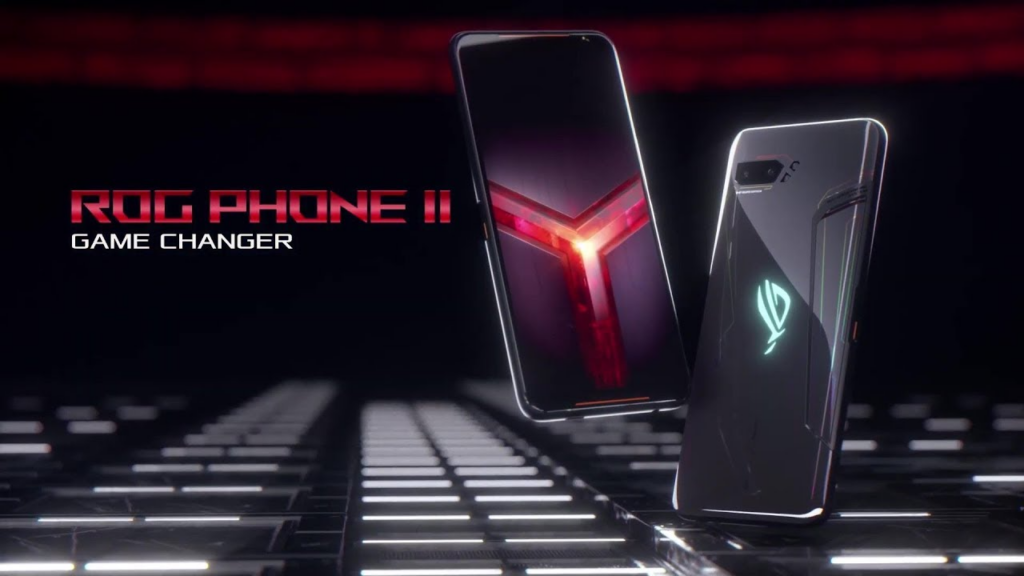
Asus ROG Phone II finally taste Android 11 update

While other companies are occupied with the deployment of Android 12, Asus is releasing an Android 11 update to ROG Phone II. Though it is arriving a few months later from its successor, ROG Phone 3, considering that the device is a two-year-old flagship, explains the delay.

ROG Phone II

Must see: List of Asus smartphones to get Android 12

The Android 11 update is rolling out through the firmware version 18.0210.2111.160. As of now, the package is limited to the Asus ROG Phone 2 units with model number ZS660KL in Taiwan.


Regarding changes, the software indulges everything we expect from Android 11. This further will be tossed with a ton of new features and redesigned UI based on the latest ZenUI. Also, the company has issued an official changelog for the same.

Changelog


【System Optimization】

  1. Upgrade system to Android 11

  2. Some third-party software is not yet compatible with Android 11

  3. Please backup your data before upgrading. If you want to downgrade from Android 11 to Android 10, you can use the official software package, but all data will be erased

  4. Import the new ROG UI interface design

  5. Update Armoury Crate, game wizard, smart housekeeper, contact, phone, file management, computer, clock, picture library, weather, recording program, settings, one-key switch, local backup, boot wizard, system update, and other applications

  6. Support one-time permissions, improved file access permission control, automatic reset permissions, and other private functions

  7. Supports maintaining Bluetooth connection when the flying mode is turned on

  8. Adjusted to the Android 11 notification bar style, support for displaying notifications of ongoing conversations

  9. The classic style of the power button menu supports Android 11 device control and Google Pay

  10. Update the automatic switching system color matching, return to the advanced options of gestures, SIM card, and other setting functions. Replaced with the latest one-handed design

  11. Notification settings Added notification records and dialog settings

  12. The power control function of the smart housekeeper is integrated into the battery setting

  13. Adjust the quick setting panel interface. Support media control function. Add nearby sharing option

  14. On the recent apps page, long-press the app icon above the task card to add options such as lock apps, screenshots, and sharing

  15. Computer adjusted design to the latest native style

  16. Added the option to display blocked calls in the call log settings of the phone

  17. Fine-tune the size of the status bar icon to maintain display consistency

  18. Clock add date setting alarm, group alarm function

  19. Picture library supports new editing page

  20. Update the conversion data of the one-key switch with the default check logic

  21. Adjust the related pages of the boot wizard

  22. System update setting adjustment and update logic


As per Asus, the update may take about one week to complete the automatic push. If you want to avoid the waiting period, you can head over to Settings > About > System Update.
Read more: Asus starts Android 12 beta program for Zenfone 8 Flip

Monday, November 22, 2021

Download OnePlus Widget App Version v2.0.12 [Old Versions Archive]

Though widgets are already installed on your phone. Just in case you don't have it you can just re-download it from this page! You can get the OnePlus Widget App drawer and access all of your apps on a single screen. Here are all the updates the company released for its Widget app. You can look out for your required version and tap on the download button.

OnePlus Widget App

Must see: Download Oppo Mail App Version v12.0.18 [Old Versions Archive]

Download OnePlus Widget App


  • [November 22, 2021]: The OnePlus Widget app Version v2.0.12 is rolling out globally for smartphones operating OxygenOS 10 or later


Download Version v2.0.12


  • [October 17, 2021]: OnePlus is releasing Version v2.0.14 globally for its Widget app. The version is compatible with Android 10 or later

    What's New
    General bug fixes.


Download Version v2.0.14


Related: Grab OnePlus Nord 2 PacMan Edition Icon Pack & Live Wallpapers from here

Download OnePlus Orbit App Version v1.1.0

The OnePlus Orbit app aims to continuously provide people with better services. The company aspires to gather users from all over the world to co-create a better, ever-more inclusive Community – delivering a fresh product experience and invigorated community culture. You can download the OnePlus Orbit App from the button present at the end of the page.

OnePlus Orbit App

Must see: Grab OnePlus Nord 2 PacMan Edition Icon Pack & Live Wallpapers from here

Download OnePlus Orbit App


  • [November 22, 2021]: The latest update for the OnePlus Orbit app adds new features— tagging people, App push notification, Back-end management platform for moderators, All circle list, and Gif in the thread. Moreover, it improves performance and resolves several bugs that you can see below.

    Update Log

    • New features

      • Tagging people

      • App push notification

      • Back-end management platform for moderators

      • All circle list

      • Gif in thread


    • Improve

      • Circle joining experience

      • Thread creation experience


    • Fix – 89 bugs related to

      • Visual display

      • Typos

      • Dark mode

      • UX

      • Features


Download Version v1.1.0


Related: Download OnePlus System Launcher v5.2.36 [Old version archived]

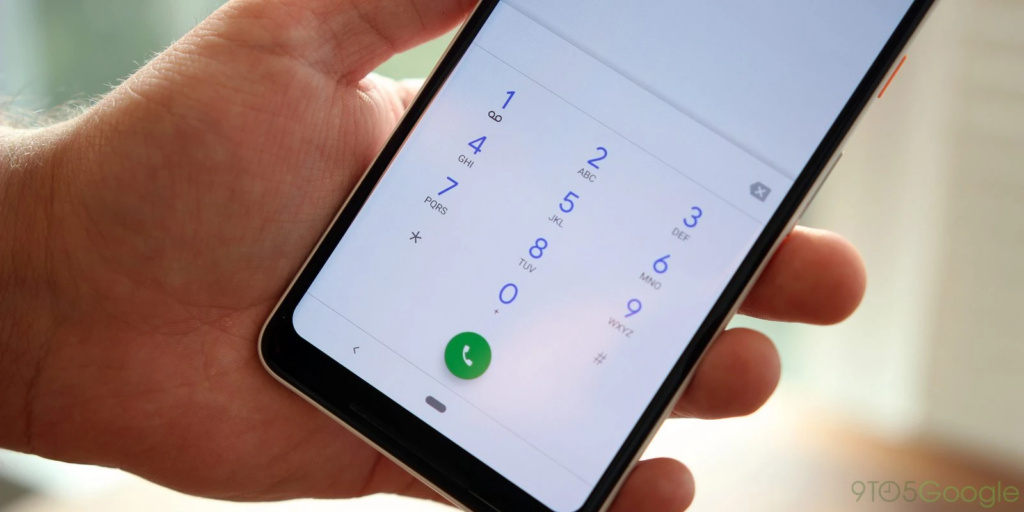
Download OnePlus Phone App Version v12.200.7 [Old Versions Archive]

OnePlus smartphones arrive with their native app for calling. However, the OnePlus Nord, OnePlus 8T, OnePlus 9R, OnePlus 9, and OnePlus 9 Pro come with Google’s Phone. Here you can download the versions OnePlus released for its Phone App.

OnePlus Phone App

Must see: Download OnePlus Wallpapers App Latest Version

Download OnePlus Phone App


  • [November 22, 2021]: OnePlus Phone app Version v12.200.7 is unfurling globally for  OxygenOS 11 or later users


Download Version v12.200.7


  • [November 15, 2021]: OnePlus is releasing Version v12.105.3 for its Phone app. The app is compatible with smartphones running OxygenOS 10 or later.


Download Version v12.105.3


  • [November 14, 2021]: OnePlus Phone is getting bumped with Version v12.200.5 for global users of OxygenOS 11 or later.


Download Version v12.200.5


  • [April 25, 2021]: OnePlus Phone app Version v1.0.0.0.201109151403 is rolling out for smartphones operating Android 11 or later.

    What's New?
    General bug fixes


Download Version v1.0.0.0.201109151403


Related: Download OnePlus Theme Store Version v8.1.5

Download Oppo Mail App Version v12.0.18 [Old Versions Archive]

Oppo Mail app comes pre-installed with all Oppo smartphones. The platform combines all your emails in one app so that it becomes easy to navigate and organize mails. Also, there's no chance you'd miss any email.

Oppo Mail App

Must see: Download iPhone 13 wallpapers for any smartphone

Here we have crafted a list of updates Oppo released for its Mail app. The latest update bears the version number v12.0.18.

Download Oppo Mail App


  • [November 22, 2021]: Oppo Mail app Version v12.0.18 is rolling out globally in a stable phase for Android 9 or later users.


Download Version v12.0.18


  • [November 15, 2021]: Oppo is releasing Version v12.0.16 to its Mail app. The update is available for global users running Android 9 or later.


Download Version v12.0.16


  • [October 10, 2021]: Oppo Mail is releasing with Version v12.0.13 which is available globally for users operating Android 9 or later.


Download Version v12.0.13


Related: Download Realme Messages App v7.115.50 [Old Versions Archive]

Redmi Note 10 5G joins the MIUI 12.5 Enhanced update group

After the Redmi Note 9 Pro, the successor series has started to receive the MIUI 12.5 Enhanced update. The new software is now rolling out to the Redmi Note 10 5G. The smartphone was launched this year in March with Android 11 based MIUI 12 out of the box.

[caption id="attachment_111780" align="aligncenter" width="1000"]Redmi Note 10 5G Redmi Note 10 5G[/caption]

Make sure to visit: Best custom ROMs for Redmi Note 10

Presently, the latest update for the Redmi Note 105G is rolling out in Indonesia. It will soon expand to more regions by the next few days. The update can be identified by the build number V12.5.1.0.RKSIDXM is based on Android 11.

Talking about changes, Xiaomi claims that the software optimizes, fixes dozens of privacy and data security-related problems. Though the MIUI 12.5 enhanced does not inculcate any major features or additions, it does bring some features that are essential for a seamless performance. You can check out the changelog below for more details.

Changelog


  • MIUI12.5 Enhanced

    • Swift performance. More life between the charges.

    • Focused algorithms: Our new algorithms will dynamically allocate system resources based on specific scenes, ensuring a smooth experience on all models.

    • Atomized memory: Ultra-fine memory management mechanism will make RAM usage more efficient.

    • Liquid storage: New sensitive storage mechanisms will keep your system vibrant and responsive as time goes by.

    • Smart balance: Core system improvements allow your device to make the best of the flagship hardware specs.


As always, the package is rolling out in batches thus, taking more time to reach all units. However, you can always track the update manually via Settings > About phone > Check for new updates
Related: Specs Comparison – Motorola Moto E40 vs Xiaomi Redmi Note 8

DuckDuckGo will now prevent apps from tracking Android users

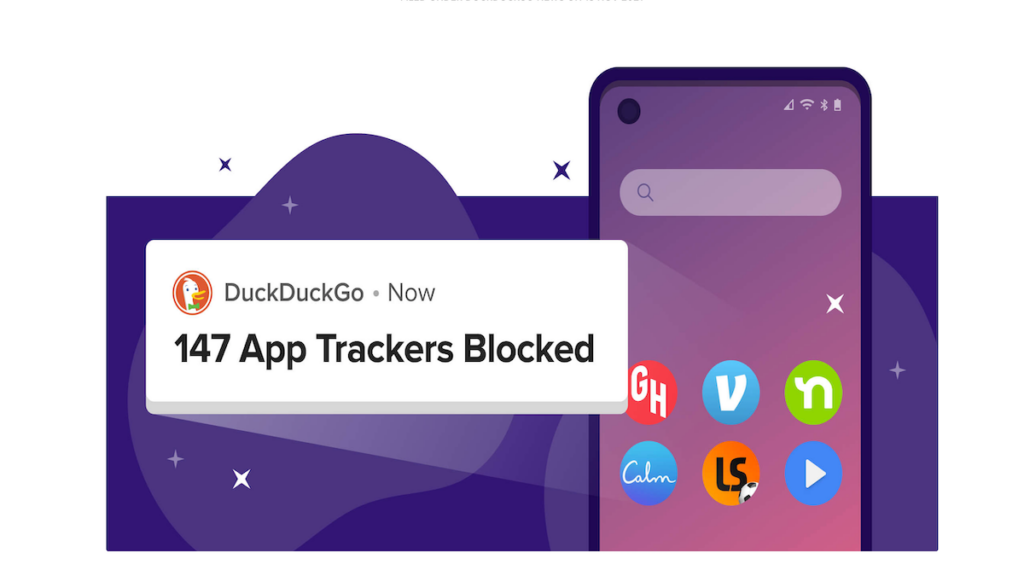
Reportedly, 87% of the apps send user data to Google, while 68% send it to Facebook. But now you can take control over it via a new feature introduced by DuckDuckGo. The new tool by the company will stop apps from tracking Android users. Let's take the feature into detail.

DuckDuckGo

Must see: How to fix DNS_PROBE_FINISHED_NO_INTERNET error

The news was revealed via the official blog post by DuckDuckGo. According to the company, the tool will block "trackers it identifies in other apps from third-party companies."

The new privacy feature is in-built in DuckDuckGo's privacy-focused browser app and works across Android devices. Keep in note that neither the tool is not rolling out as a part of an update nor you can download it separately.

Once the users enable the App Tracking Protection, the app will run in the background as you use your phone. The feature will automatically identify when an app is about to send your data to a third-party tracker. Moreover, it will prevent the app to do so.

In addition, you can also see a real-time view of trackers that the tool has blocked and where your data would've been going. "We are continually working to identify and protect against new trackers, so you can rest easy knowing you’re getting the most up-to-date protection," says the company.

Furthermore, the company adds that the feature isn't a VPN, but will act like one. "This is because App Tracking Protection uses a local ''VPN connection'' which means that it works its magic right on your smartphone. However, App Tracking Protection is different from VPNs because it never routes app data through an external server," DuckDuckGo explained.
Read more: 'Area Busyness' feature is making way for Google Map